

With the Docket Navigator MCP, your organization's AI provider platform can start from a new patent matter and assemble the litigation intelligence an attorney needs for a prospective-client pitch.
Build a client-ready patent litigation pitch from a new filing
Section titled “Build a client-ready patent litigation pitch from a new filing”A new patent case can create an immediate business-development opportunity. With the Docket Navigator MCP, your organization’s AI provider platform can start with the new matter and assemble the patent litigation intelligence an attorney needs for a prospective-client conversation: the case, the asserted patents, prior district court and PTAB activity, related proceedings, party history, the assigned judge, and the sources behind the important facts.
The efficiency gain comes from bringing research, synthesis, drafting, and presentation preparation into the same workflow. An attorney can describe the assignment once, review the resulting research, refine the story conversationally, and move directly into a partner brief or client presentation. Each factual proposition remains connected to the Docket Navigator record so the attorney can verify it before the meeting.
When to use this workflow
Section titled “When to use this workflow”Use Case Pitch Builder when a new patent matter gives your firm a reason to approach an existing or prospective client.
Typical assignments include:
- preparing a pitch after a new complaint or other significant filing;
- understanding the patents asserted against a prospective client;
- tracing each asserted patent’s litigation history;
- identifying related district court, PTAB, ITC, or appellate proceedings;
- reviewing prior patent cases involving the parties;
- adding useful intelligence about the assigned judge;
- preparing a partner briefing before a client call;
- creating a client-facing presentation; and
- updating an existing pitch as the matter develops.
This workflow is especially useful when the triggering case is new and the surrounding patents, parties, or judge have substantial history. Docket Navigator can connect the new matter to structured patent litigation data collected across earlier cases and proceedings.
Who can use this workflow
Section titled “Who can use this workflow”The primary user is usually the partner or senior associate responsible for winning the work.
At a smaller firm, that attorney may perform much of the research and presentation assembly personally. At a larger firm, associates, research attorneys, knowledge management professionals, or business development teams may help prepare the materials.
The attorney defines the business objective and evaluates the result. The AI provider platform coordinates the research, synthesis, and drafting. Docket Navigator supplies the human-curated patent litigation data, annotations, profiles, searches, and source links used to ground the work.
How it works
Section titled “How it works”Start with the new matter, the company you want to represent, and the deadline for the pitch.
Your organization’s AI provider platform can use Docket Navigator to investigate several connected parts of the assignment:
The new matter
The parties, court, judge, asserted patents, procedural posture, and available case documents.
Each asserted patent
Where the patent has been litigated or challenged, which determinations and PTAB proceedings have been recorded, and which source documents matter.
Related proceedings
District court, PTAB, ITC, and appellate matters that help explain the broader litigation posture.
The parties
Prior patent cases involving the prospective client, the opposing party, or both, with each party’s role preserved.
The assigned judge
Relevant patent-case experience, motion history, timing information, and source orders available through the judge’s Docket Navigator profile.
The supporting record
Docket Navigator citations and links that allow the attorney to verify factual propositions before using them in client-facing work product.
These objects can be researched together because Docket Navigator connects cases, patents, parties, judges, proceedings, determinations, and source documents. The attorney does not need to translate the assignment into a series of separate searches before the work can begin.
Example: Pitching Micron after a new Netlist filing
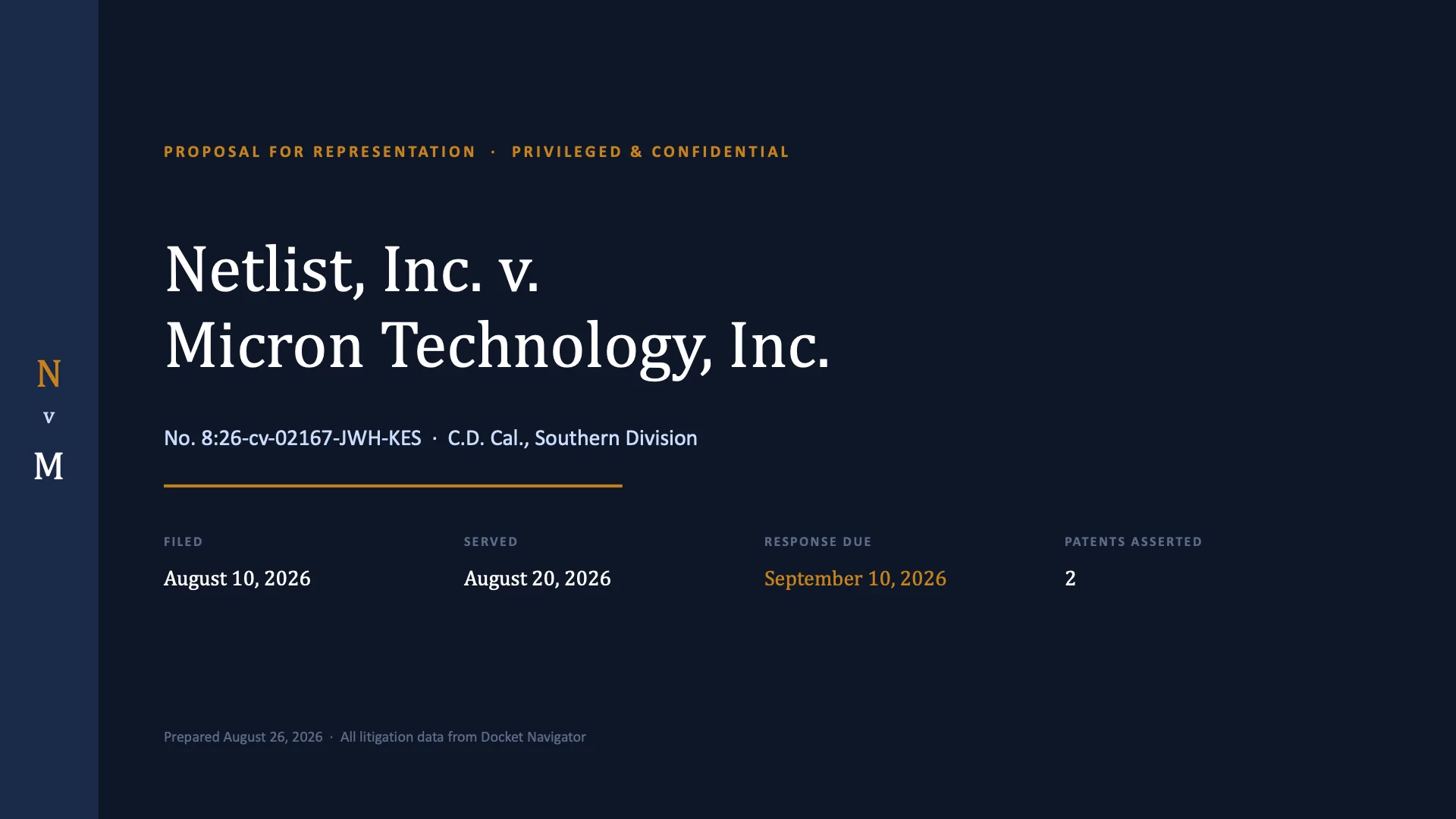
Section titled “Example: Pitching Micron after a new Netlist filing”In the worked example, a partner learns that Netlist, Inc. v. Micron Technology, Inc., No. 8:26-cv-02167-JWH-KES (C.D. Cal. filed Aug. 10, 2026), has been filed against a company the firm wants to represent. The complaint asserts U.S. Patent Nos. 10,217,523 and 12,675,407. The partner needs the factual foundation for a Micron pitch by Thursday.
Example prompt
Section titled “Example prompt”Netlist filed against Micron in the Central District of California on August 10 on two patents. We want to pitch Micron on taking the California case, and I need the factual foundation by Thursday.
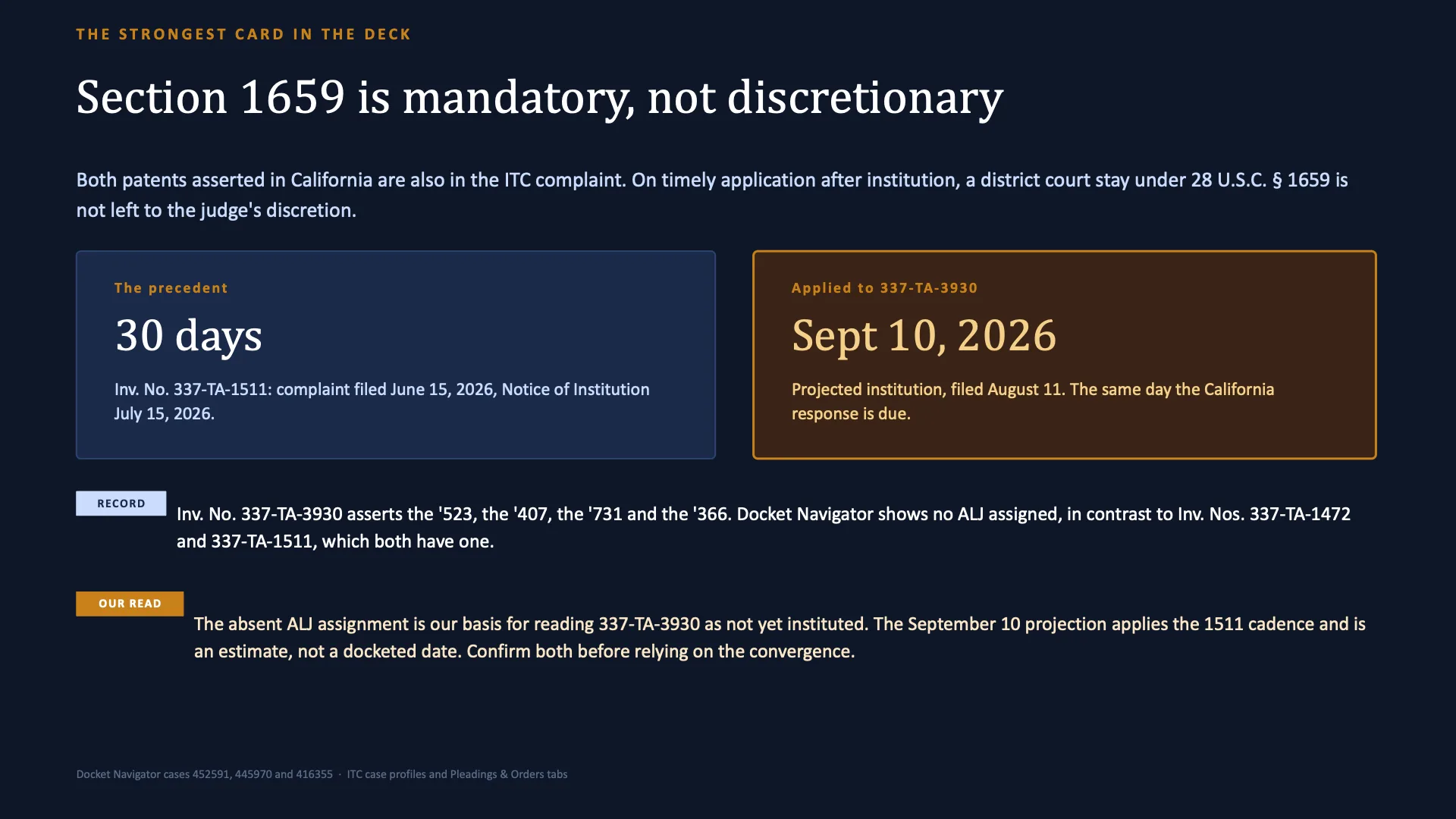
Give me what I need: the case itself, what these two companies have already been through together, what has happened to each asserted patent in prior litigation and at the PTAB, any decision that a defendant facing these patents now would need to know about, what the assigned judge has done with patent cases, and how the California case sits alongside the Delaware action and the ITC complaint.
Tell me which handful of facts would actually move a general counsel, and give me the Docket Navigator source for each one.
The prompt uses familiar business and litigation terms. The AI provider platform determines which Docket Navigator research is needed to complete the assignment.
What the MCP can help identify
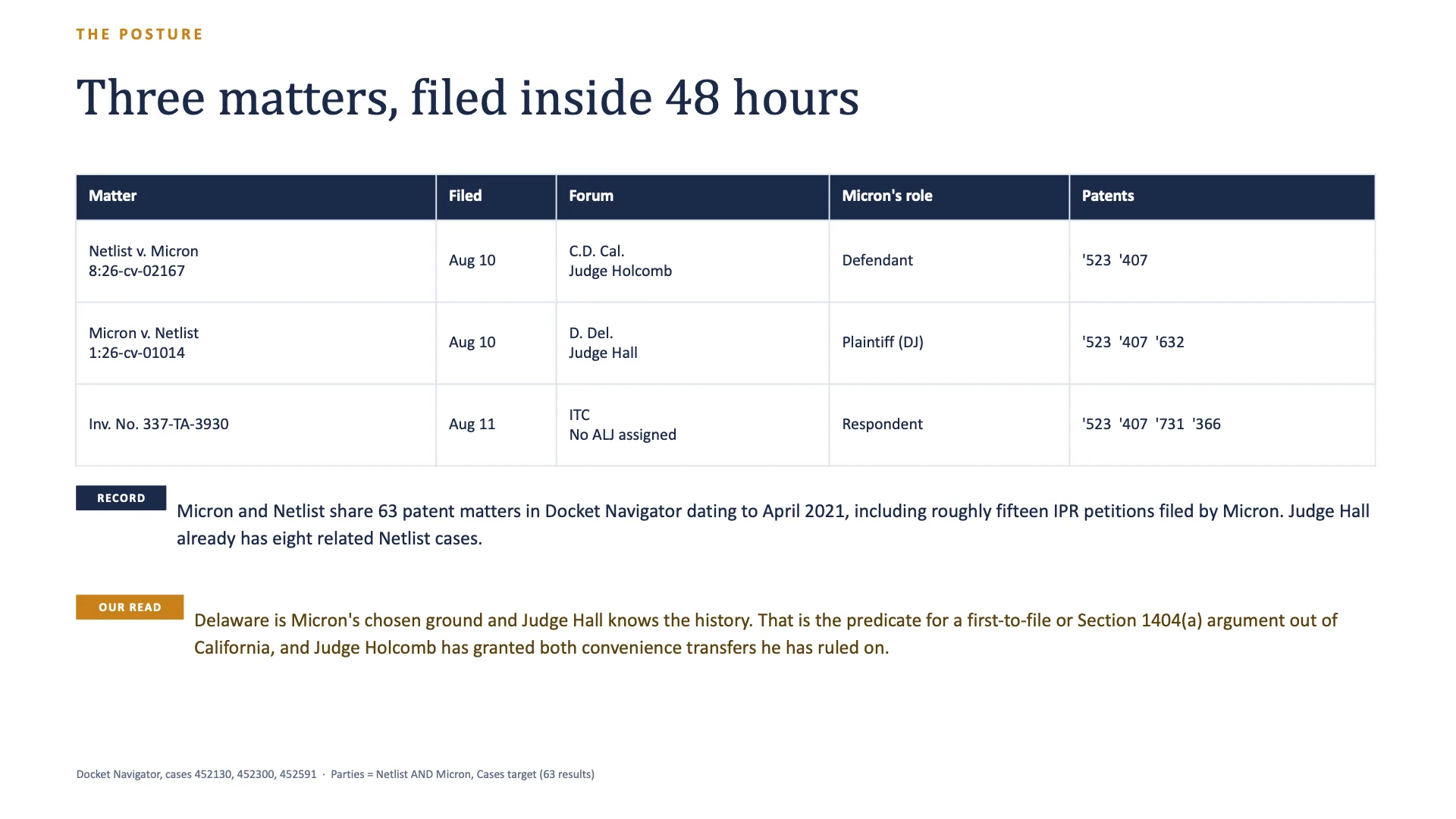
Section titled “What the MCP can help identify”For this matter, the research connected the California filing to:
- a declaratory judgment action filed in the District of Delaware on the same day;
- an ITC complaint filed the following day;
- prior district court, PTAB, ITC, and appellate matters involving Netlist and Micron;
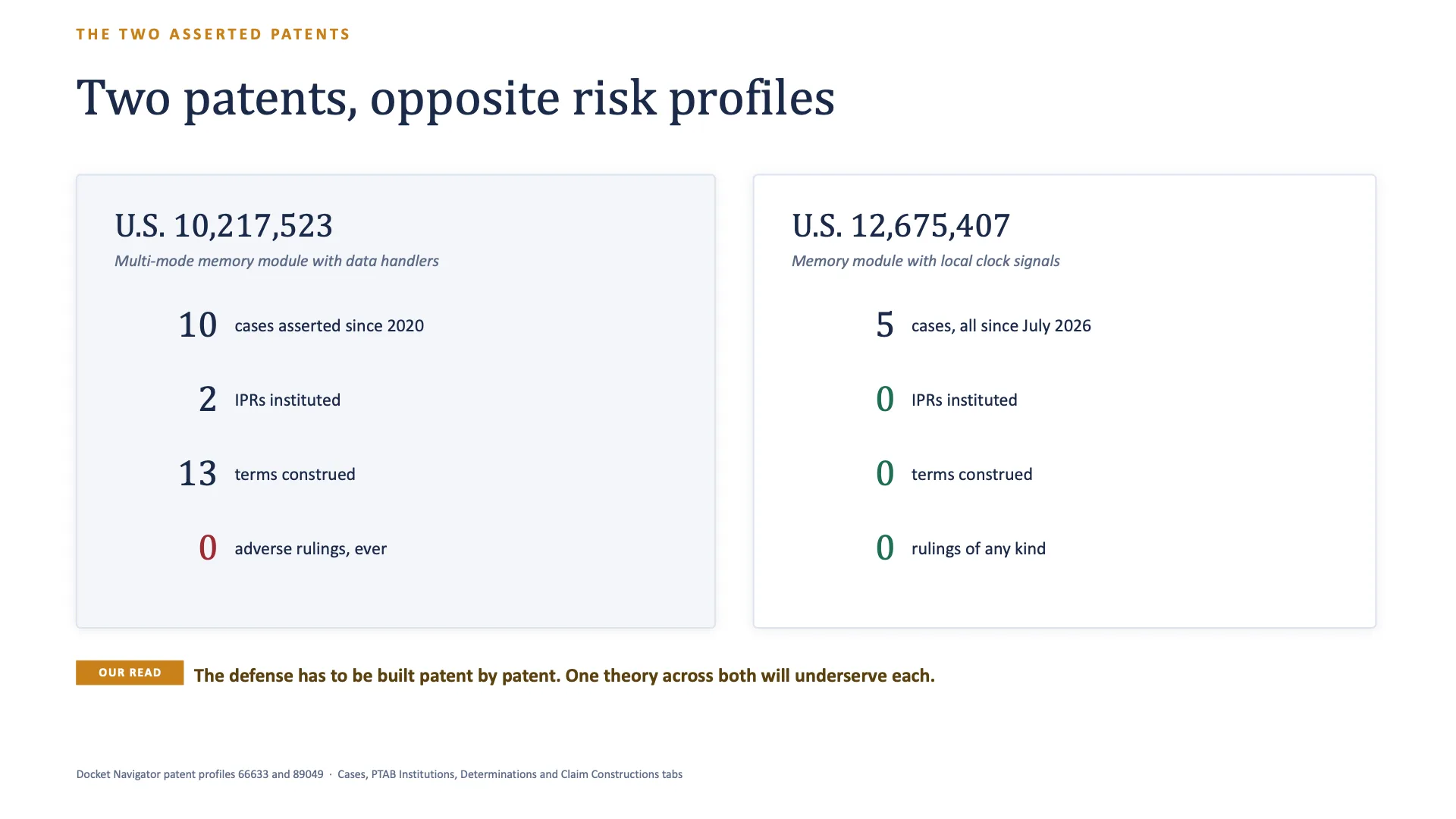
- materially different litigation histories for the two asserted patents; and
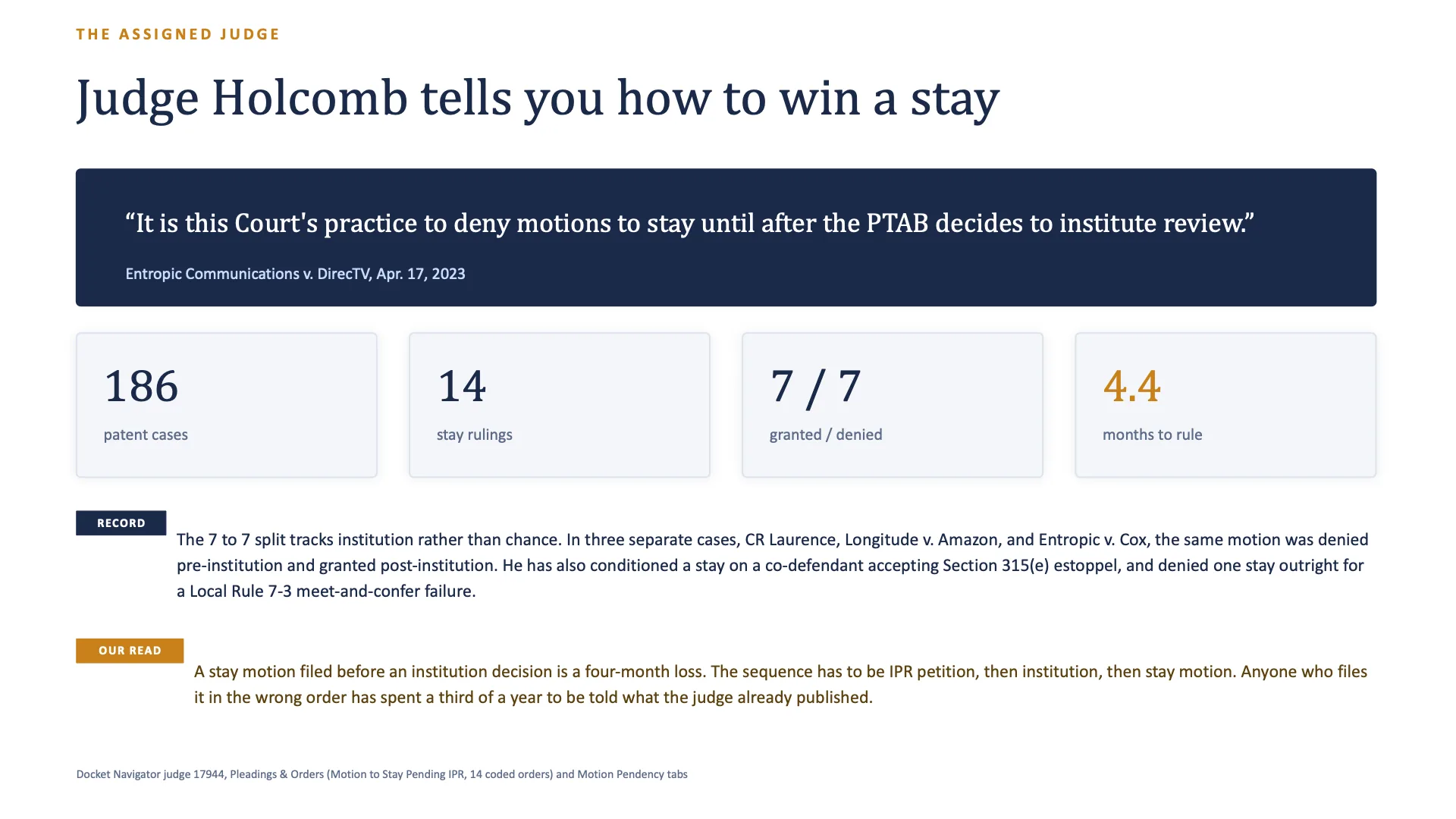
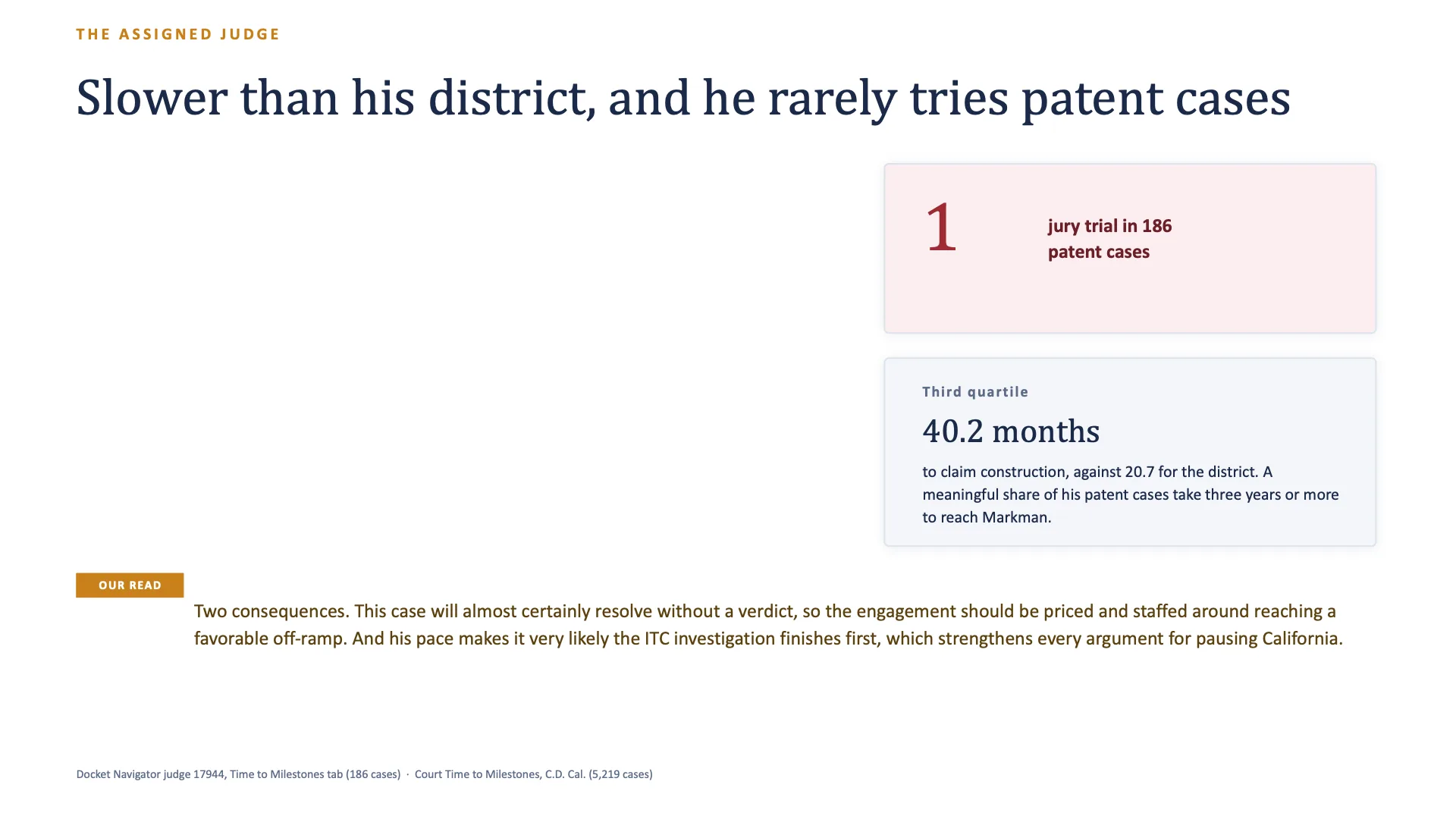
- Judge John W. Holcomb’s patent-case and motion history.
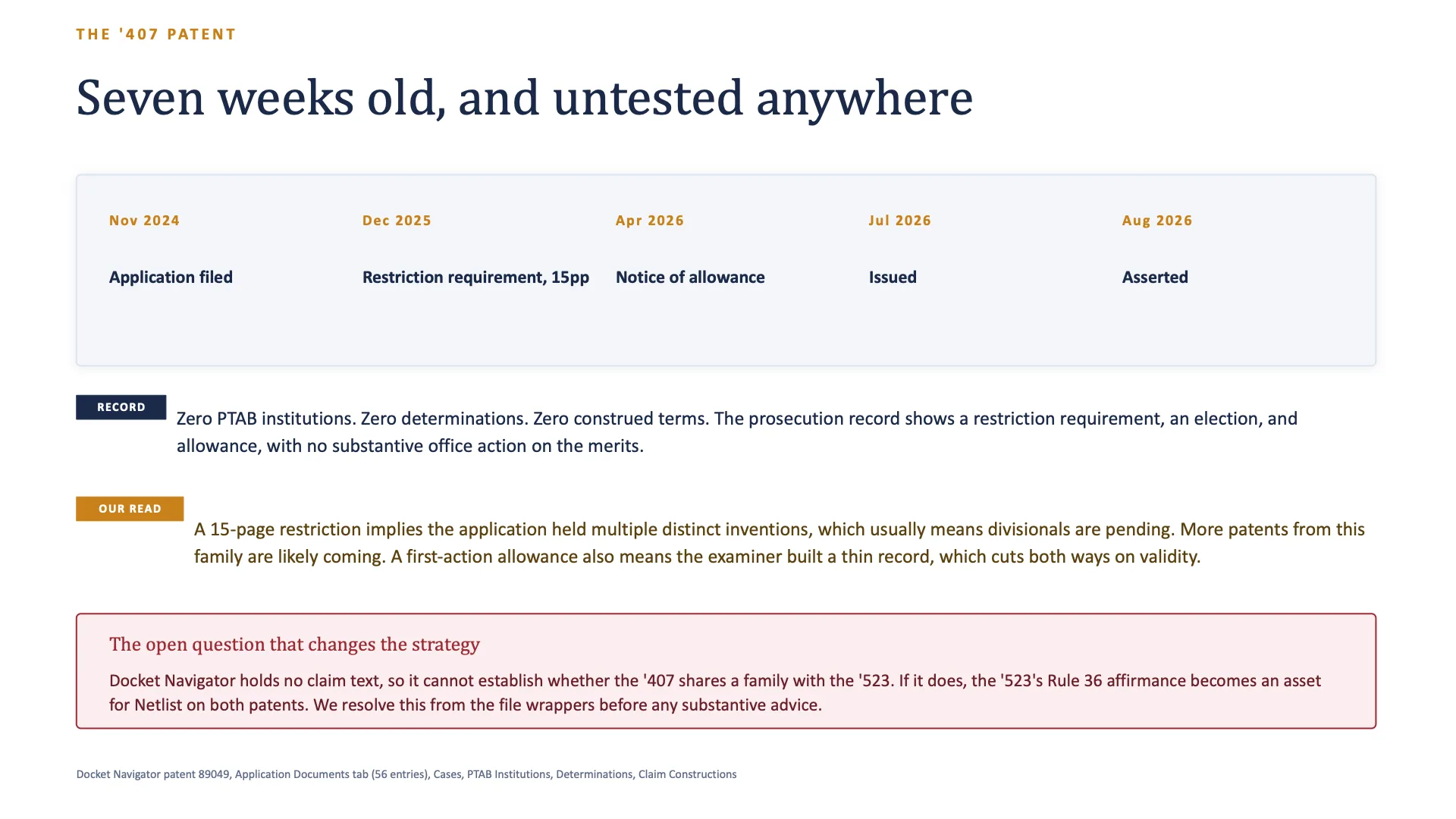
The contrast between the asserted patents became one of the most useful parts of the pitch. The ‘523 patent had an established litigation and PTAB record. The ‘407 patent had been issued only weeks before the complaint and had no prior case, PTAB proceeding, Patent Determination, or Claim Construction recorded in Docket Navigator as of August 25, 2026.
That difference gives the attorney a concrete way to organize the research and the client conversation. Each patent requires its own factual treatment, source review, and strategic analysis.
Trace a decision from the pitch back to its source
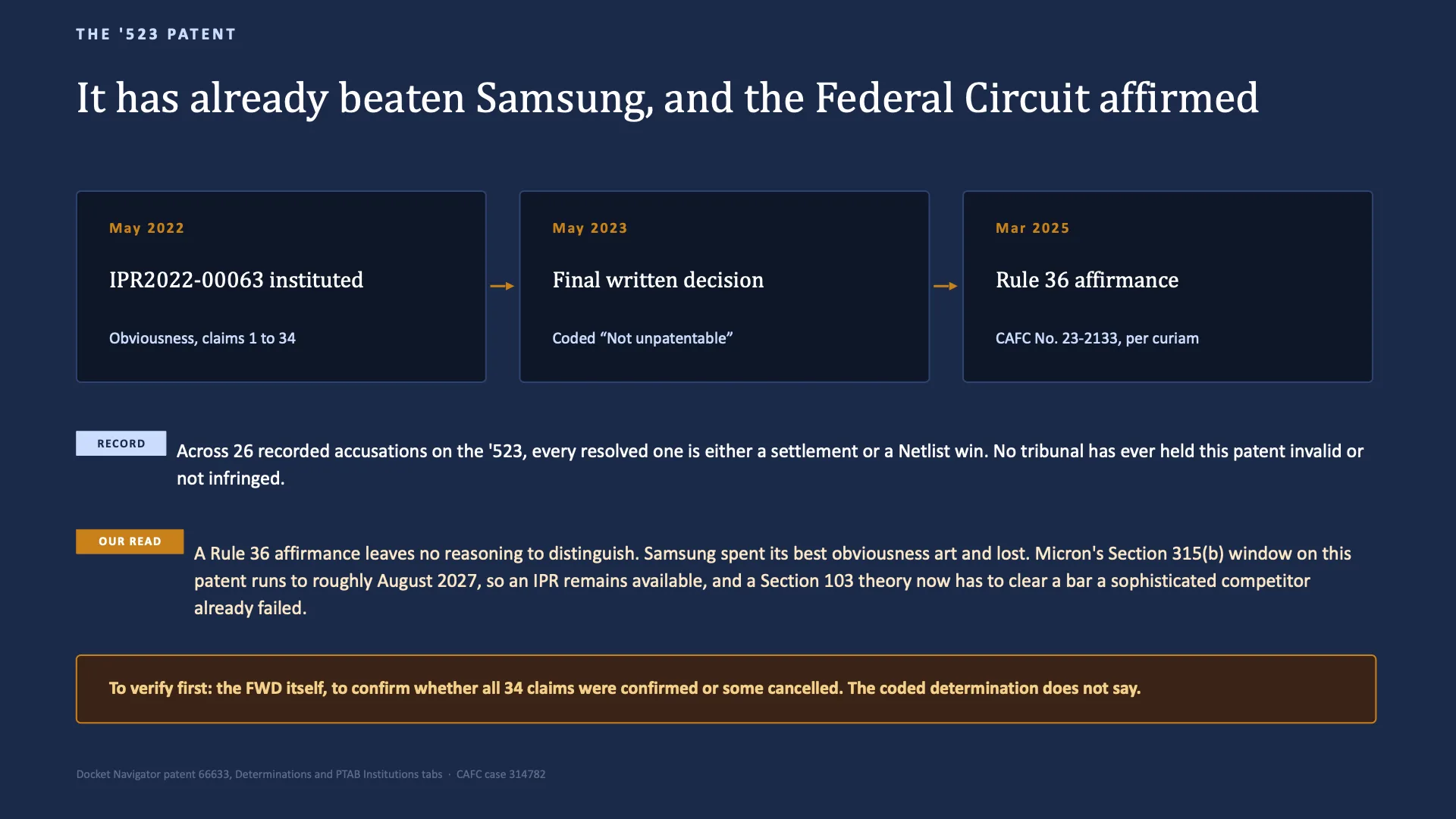
Section titled “Trace a decision from the pitch back to its source”The worked example traced the ‘523 patent to Samsung Electronics Co., Ltd. v. Netlist, Inc., IPR2022-00063 (P.T.A.B. May 3, 2023). Docket Navigator recorded the Patent Determination as Not unpatentable. The associated appeal ended in a nonprecedential Rule 36 judgment, Samsung Electronics Co., Ltd. v. Netlist, Inc., No. 23-2133 (Fed. Cir. Mar. 5, 2025).
Those labels need to remain precise. A Patent Determination of Not unpatentable records what the PTAB decided in that proceeding. It does not become a general statement that the patent is valid. A Rule 36 judgment records the appellate disposition without supplying a reasoned opinion that the AI provider platform can summarize.
Before using the point in a pitch, the attorney can ask:
Before this goes anywhere near a client: show me the Docket Navigator source for the IPR outcome on the ‘523, confirm exactly what the coded determination says, and tell me whether it was appealed.
The AI provider platform can return the relevant Docket Navigator records and source documents, explain the coded result, and direct the attorney to the material that should be reviewed. Ask for a precise page reference when one is available. A document or profile link should be treated as a source link unless the result includes a true pinpoint into the underlying document.
Turn the verified research into a presentation
Section titled “Turn the verified research into a presentation”Once the research foundation is complete, the attorney can continue with a short instruction:
Build the pitch deck. Client-ready, for the meeting Thursday. Keep the sourcing on the slides, and make it obvious which statements are Docket Navigator’s record and which are our read.
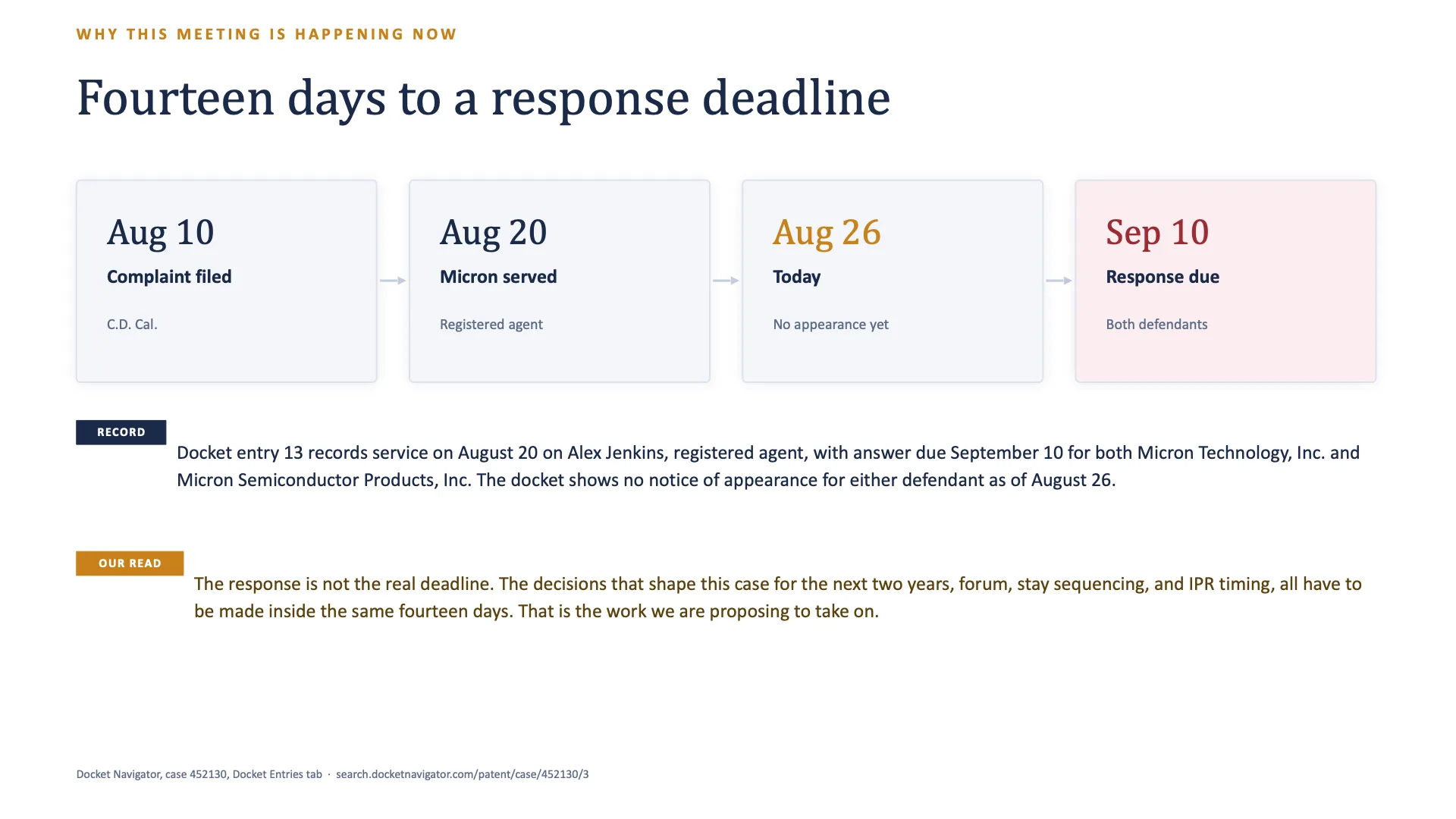
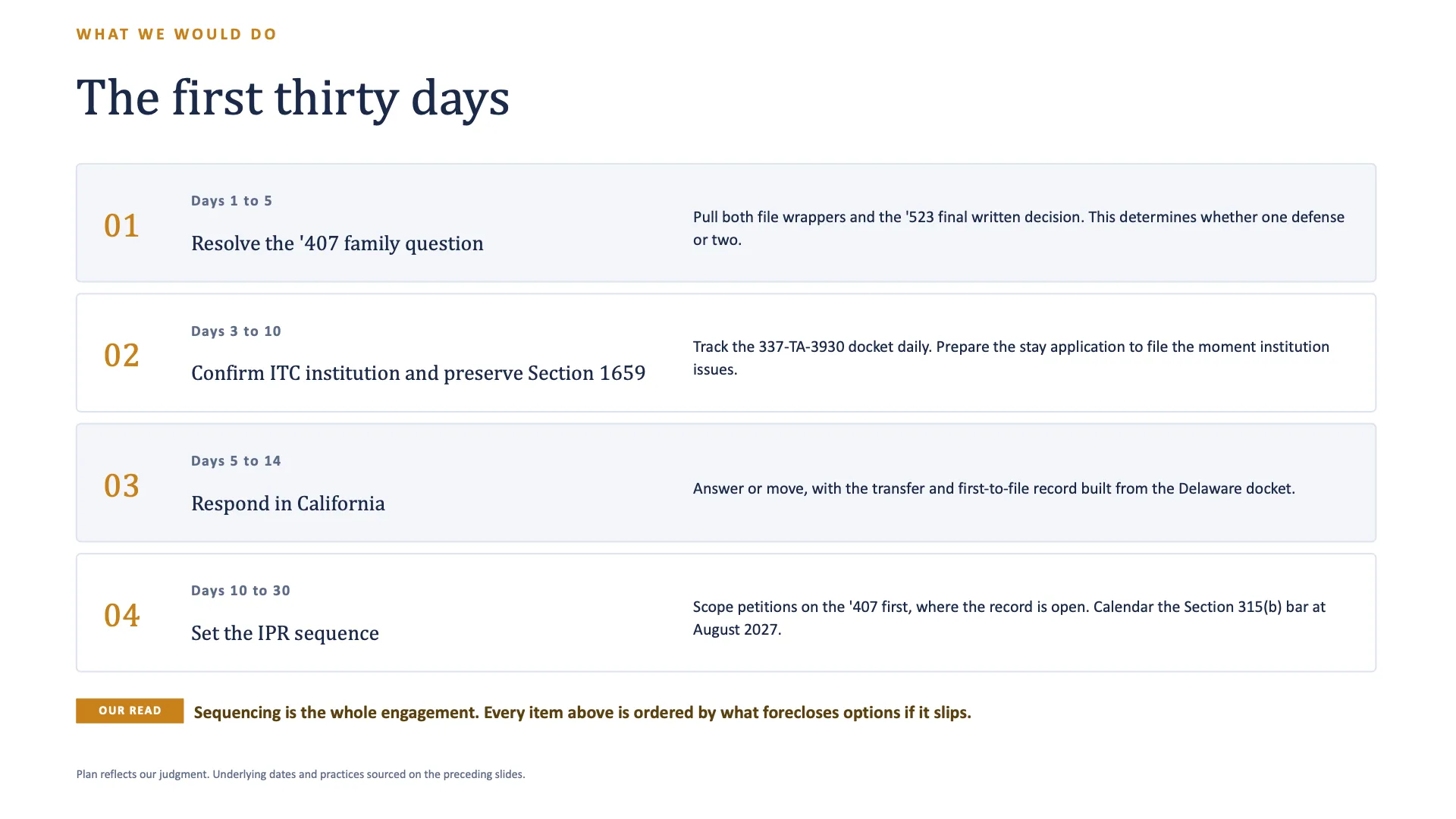
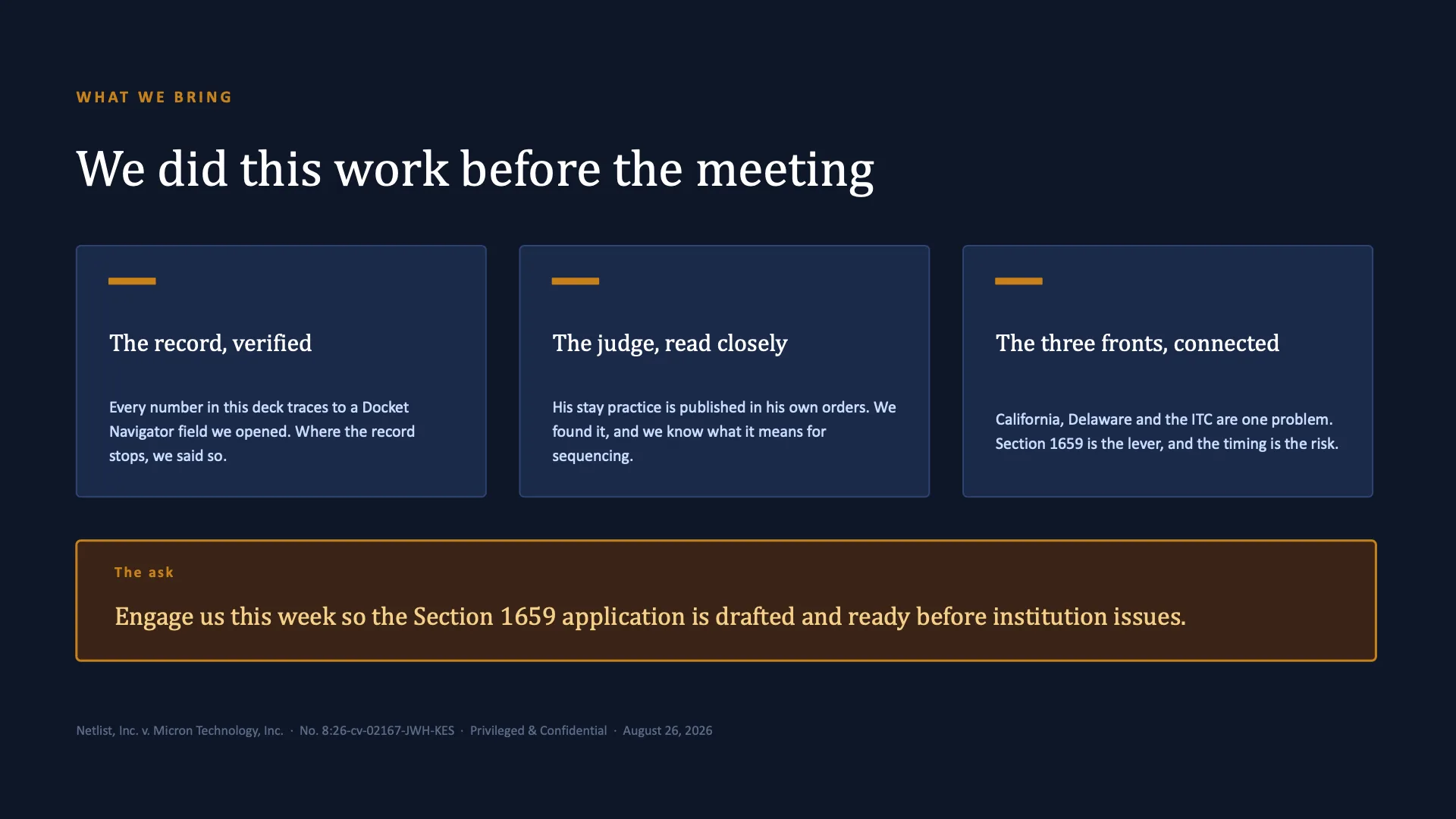
In the worked example, the AI provider platform produced a 12-slide PowerPoint that organized the new matter, the companion proceedings, the two patent histories, the judge research, the proposed first steps, and the sources supporting the presentation.
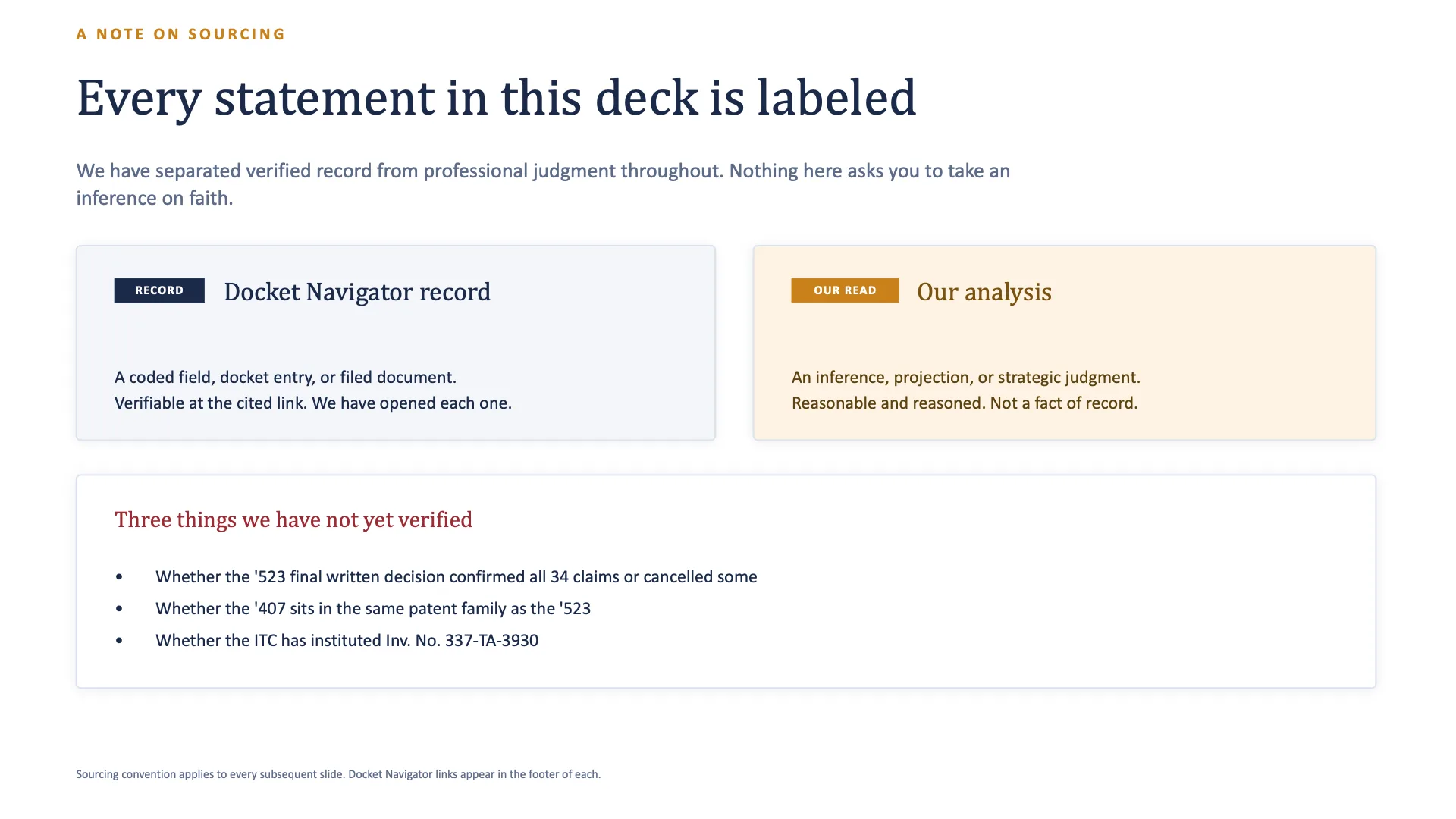
The deck used two labels throughout:
- Docket Navigator record for coded fields, docket entries, decisions, and other source-supported facts; and
- Our analysis for inferences, projections, recommendations, and strategic judgments.
That separation makes review easier. It also helps prevent an attorney’s strategic analysis from being attributed to Docket Navigator when the presentation is revised or condensed.
Move from research to finished work product faster
Section titled “Move from research to finished work product faster”A client pitch often requires the team to research the new case, trace each patent, review the parties and judge, inspect source documents, identify the important story, draft the narrative, build slides, revise the slides, and confirm the facts.
Case Pitch Builder allows the AI provider platform to coordinate much of that work from one assignment. The same verified research base can support:
- a short partner briefing;
- a written pitch memo;
- an internal opportunity brief;
- talking points for the relationship partner;
- a client-facing PowerPoint presentation; or
- several of these materials for different audiences.
Research gathered for the initial briefing can become the factual foundation for the presentation. Source lines and factual qualifications can travel with the material as the format changes.
Ask what qualifies the initial story
Section titled “Ask what qualifies the initial story”Client-facing work benefits from a balanced record. After reviewing the first draft, ask:
What in the Docket Navigator record cuts against the story we’re telling or needs to be qualified before this goes to the client?
The AI provider platform can revisit the same research for contrary outcomes, patents with limited prior history, successful results for the opposing party, procedural distinctions, unresolved source questions, or limits in the available judge data.
The attorney can then decide how those facts affect the pitch.
Combine Docket Navigator with your firm’s own knowledge
Section titled “Combine Docket Navigator with your firm’s own knowledge”The pitch becomes more useful when public patent litigation intelligence can be considered alongside approved internal materials. Depending on the tools your organization makes available to its AI provider platform, those materials may include:
- prior pitch decks;
- attorney biographies and relevant experience;
- representative matters;
- firm credentials;
- industry expertise;
- client-team information;
- previous research;
- approved presentation templates; and
- internal notes relevant to the opportunity.
Docket Navigator supplies structured, human-curated, source-grounded patent litigation intelligence. Approved firm materials supply the firm’s experience, credentials, presentation standards, and point of view. The AI provider platform can use both to develop a pitch that is grounded in the public record and specific to the firm.
Access to internal information should follow your organization’s confidentiality, security, and client-data policies.
If your firm uses Claude
Section titled “If your firm uses Claude”Where Claude Cowork and the appropriate connections are enabled, Claude can work with internal files and applications made available by the organization. Claude Design can then help turn the verified research and approved firm materials into a polished presentation and refine the design conversationally.
Combined with the Docket Navigator MCP, this creates a practical zero-to-hero workflow:
New matter → Docket Navigator research → firm knowledge → pitch narrative → designed presentation → source verification
The attorney remains focused on strategy, positioning, and the client conversation while the AI platform handles much of the research assembly, drafting, formatting, and iteration.
The worked example produced this client-ready presentation:
1 of 12
Refine or continue the work
Section titled “Refine or continue the work”Useful follow-up prompts include:
Go deeper on the patent with the most significant prior history. Which Docket Navigator decisions and source documents should we read first?
The ‘407 has little recorded history. Tell me what Docket Navigator can establish about it and what still requires review outside Docket Navigator.
Show me the plaintiff’s prior patent litigation history with this client. Preserve each party’s role and explain how you calculated any shared-proceeding count.
What has the assigned judge said in source orders that could affect how we sequence the defense?
Give me the five documents I should read before Thursday, with the Docket Navigator source for each and one sentence explaining why it matters.
Rework the presentation for a ten-minute meeting with the general counsel and head of IP litigation. Keep every source line and preserve the distinction between the record and our analysis.
Because the follow-ups remain part of the same assignment, the AI provider platform can refine the work product while preserving the matter, research, and sources.
Save or continue the research in Docket Navigator
Section titled “Save or continue the research in Docket Navigator”If you want the supporting research to remain available in Docket Navigator, ask your AI provider platform to save it to a binder:
Save the research to a Docket Navigator binder so the team can return to it and review current results that match the saved search criteria.
Creating a binder changes Docket Navigator product state, so the AI provider platform should do so only when you request it. Binder results update when new Docket Navigator data matches the saved search criteria.
The presentation and binder serve different purposes. The presentation communicates the pitch. The binder preserves the supporting research criteria for continued review.
Tips for better Case Pitch Builder results
Section titled “Tips for better Case Pitch Builder results”Give the AI provider platform enough business context to understand the assignment. Tell it:
- which company you are pitching;
- what triggered the opportunity;
- when the pitch or client call will occur;
- whether you want a memo, presentation, or both;
- which questions the client is most likely to care about;
- whether you want contrary or qualifying history included;
- whether approved internal materials should be incorporated; and
- how you want material factual propositions sourced.
Ask the platform to trace each asserted patent separately. Patent histories can differ substantially even when the patents appear in the same complaint.
For statistics, ask for the population, time period, denominator, and source. For legal or procedural propositions, ask for the underlying decision or filing and a precise page reference when available.
Verify important results
Section titled “Verify important results”Before relying on a pitch with a prospective or existing client:
- Review the Docket Navigator source supporting each material factual proposition.
- Confirm that the underlying source supports the AI platform’s description.
- Check distinctions involving Case Outcomes, Accusation Outcomes, Patent Determinations, PTAB institutions, related proceedings, and appellate history.
- Confirm the population, date period, and denominator behind important statistics.
- Review strategic conclusions independently and keep them separate from the Docket Navigator record.
- Verify any internal firm information incorporated into the presentation.
- Use the underlying source material for propositions that will appear in final client-facing work product.
Use the attached Case Pitch Builder skill
Section titled “Use the attached Case Pitch Builder skill”The worked example shows how much of the workflow can begin from a natural-language assignment. The attached Case Pitch Builder skill helps your organization’s AI provider platform perform the multi-part research and drafting process more consistently.
It can help the platform:
- recognize a new-business pitch assignment;
- break the matter into the appropriate Docket Navigator research components;
- trace the litigation history of each asserted patent;
- preserve distinctions among Docket Navigator analytical objects;
- identify useful client-, adversary-, and judge-specific intelligence in patent cases;
- preserve source support as the work moves into a memo or presentation;
- identify qualifying evidence before finalizing the pitch; and
- maintain the verified fact base as the attorney restructures the deliverable.
The attorney remains responsible for reviewing the result and deciding what belongs in the final pitch.
Download the Markdown file if your AI platform accepts skill files directly. You can also download the PDF, upload it to an LLM, and ask the LLM to create a skill from the PDF for the platform you use.
The key idea
Section titled “The key idea”Start with the new matter. Let Docket Navigator supply the patent litigation intelligence, let your AI provider platform assemble the story, and spend your time deciding how to win the client.